Create a worksheet
Time to get a first draft on the page. Describe the calculation and the assistant lays the regions out for you. Use it on routine work you could do yourself: a beam check, a pressure drop, a bolt group. You know the shape of the answer. You want it typed.
1. Open Create
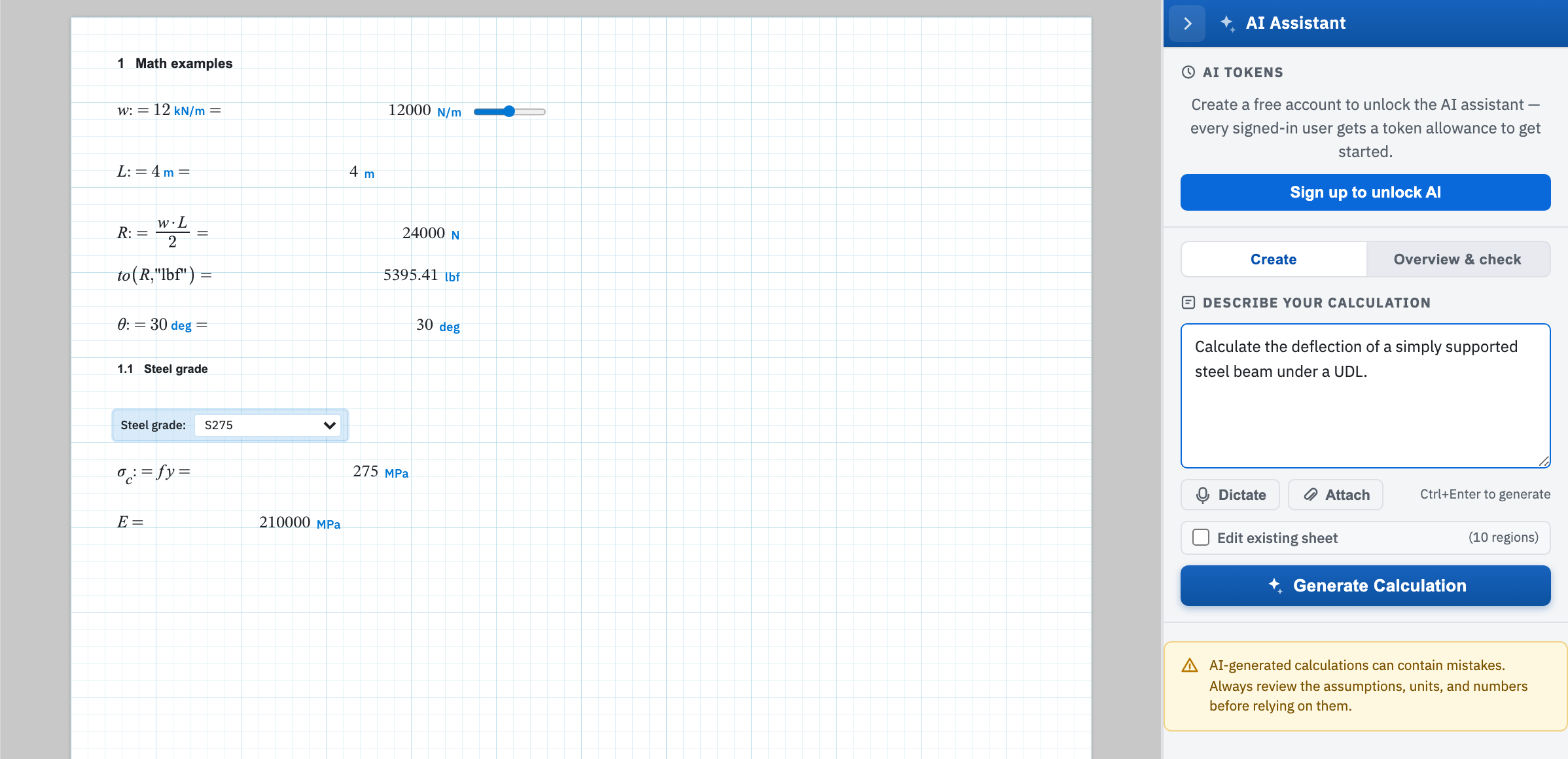
Open the panel from the star tab on the right edge and stay on Create. Type into Describe your calculation, then choose Generate Calculation or press Ctrl+Enter from the prompt box. Dictate switches on speech-to-text. Attach sends a PDF or image to work from — see Attachments and tokens.
2. Write a prompt worth generating from
The placeholder sets the level of detail: Calculate the deflection of a simply supported steel beam under a uniform distributed load, showing all working and a deflection curve plot. A prompt that produces something worth checking names:
- The code, standard, or theory the calculation should follow.
- The geometry, section, and material, with dimensions.
- The loads and load cases, with their magnitudes.
- The unit system you want the answers shown in.
- What to solve for, and any check or utilisation you want shown.
- Whether you want a plot. Say plot, graph, chart, curve, sweep, or versus. Without one of those words, any plot the model adds on its own is stripped before the regions are placed.
3. What lands on the page
Regions are placed down the page from the insertion point. Math sits on the left, with its label and description in a column to the right. The sheet is evaluated once they are all down. The status line reports Created 12 region(s) — all calculations evaluated without errors, or lists the expressions that failed.
Generated content is added to the current page. Nothing already there is cleared. Generate onto a blank sheet, or Save As first to keep the existing work. To change a sheet in place, see Edit a worksheet.
4. Check before you use it
A clean evaluation means the arithmetic ran. It does not mean the calculation is right. Check the governing equation against the code it claims to come from. Check each input against your own source. Check the units on every assignment — a quantity in the wrong but self-consistent unit evaluates perfectly happily. Then sanity-check the magnitude of the answer against something you already know.
Next, change the draft in place, or run overview and check on what landed.