Dropdown lists
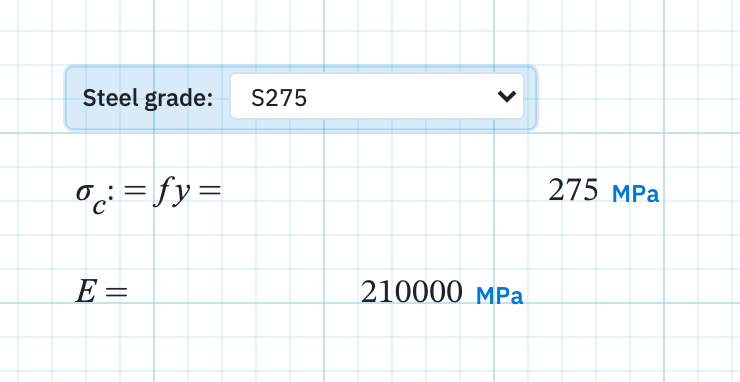
The same frame in S275 and S355. The same footing under wind and seismic. Insert a List and you get a dropdown. Every entry defines the same set of names with different values. Change the selection and the maths below stays as you wrote it.
The pattern
Decide which inputs vary between cases and which do not. The ones that vary become the list's variables: a yield strength and a modulus, say, or a partial factor and a load. Everything downstream is written once against those names and never edited again. The calculation stays identical across cases, so a reviewer compares selections rather than two versions of your algebra.
Insert a list
- On the Insert tab, choose List, which inserts a dropdown carrying one set of variables per entry.
- Click the page where you want it to sit.
- The empty control reads Right-click — Edit list and variables… until you configure it.
Configure the dropdown
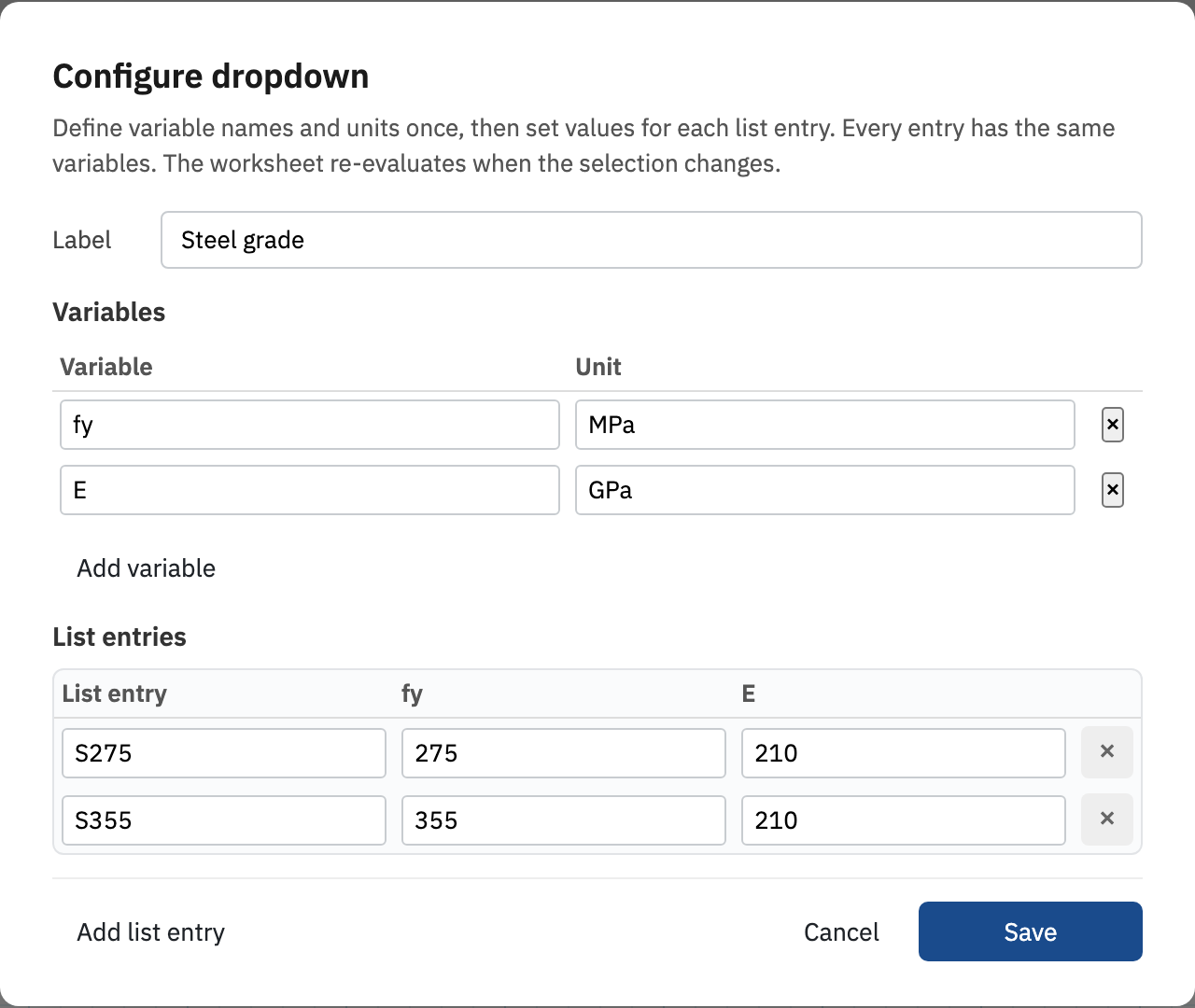
Right-click the list and choose Edit list and variables… to open the Configure dropdown dialog. You define the names and units once, then fill in a value for each entry.
- Label is an optional caption shown on the control, such as Steel grade. Use it. An unlabelled dropdown on a printed sheet tells the reader nothing.
- Variables holds one row per name, with columns for Variable and Unit. Add variable appends a row.
- List entries holds one row per choice. Give the entry a label and a value for every variable. Add list entry appends another choice.
Choose Save when the grid is complete. Every entry carries the same variable names by design. Only the values differ.
How the values reach your formulas
The selected entry writes its variables into scope at the list's own position in evaluation order, exactly as if you had typed those assignments there. Changing the selection runs Evaluate All. Any math region below can then use the names:
sigma_c := fy =
E =Next, evaluation order if a name is not defined when you expected it to be.