Decimal places
Four controls decide how much of a number reaches the page. Decimals and Trailing 0s sit in the Results group. Zero tol. and Exp thresh. sit in Thresholds next to it. All four apply to the math regions you have selected. The first two set precision. The last two are the ones nobody guesses from the label.

Decimals and trailing zeros
Decimals (0–15, default 2) is how many digits after the point the Decimal, Scientific, and Engineering formats use. Auto respects it too once Trailing 0s is on.
- With Trailing 0s ticked, answers are padded to that width, whole numbers in Auto included: 12 prints as 12.00 when Decimals is 2. Use it when a column of answers should line up.
- Unticked, the default, trailing fractional zeros are trimmed, so 12.00 prints as 12 and 12.50 prints as 12.5.
Zero tol. — when noise should read as nought
Zero tol. (0–20, default 15) is a count of decimal places that fixes the point below which a magnitude is printed as 0. At the default of 15 the cut-off is 10⁻¹⁵, so a residual of 3.2 × 10⁻¹⁷ left over from a solve prints as a clean 0. Note the direction of travel: a larger number means a smaller cut-off.
- Raise it, say to 20, when a genuinely tiny residual is the answer and should still print as a tiny number.
- Lower it when floating-point noise is cluttering a check, for example after a
Given/Solveblock.
Exp thresh. — when Auto gives up on plain digits
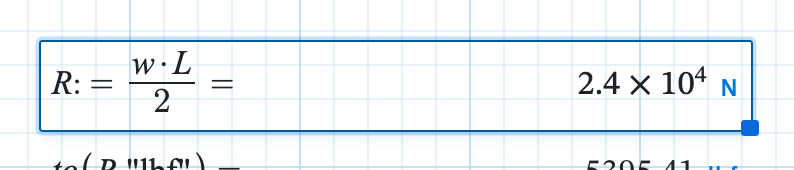
Exp thresh. (1–20, default 6) is the exponent at which Auto stops writing digits and switches to a scientific-style display. At 6, a magnitude of 10⁶ or more, or below 10⁻⁶, changes form: 2400000 N shows as 2.4 × 10⁶ N. Raise the threshold to 9 and the same answer stays 2400000. Decimal, Scientific, Engineering, and Fraction ignore the control. They have already committed to a form.
Auto has one override you cannot turn off. A non-zero value smaller than your Decimals setting would round away to nothing, so it goes scientific instead. At Decimals 2, a value of 0.001 shows as 1 × 10⁻³. Pick Decimal for that same value and you get 0, which is usually not what you meant.
Settle on Auto, Decimal, Scientific, Engineering, or Fraction first. See result formats, since the format decides which of these four controls has any effect. To pin a unit on the chip as well, use preferred unit.