Open an example calculation
Time to read a finished sheet. Take a copy of one, then change the inputs and watch the page update.
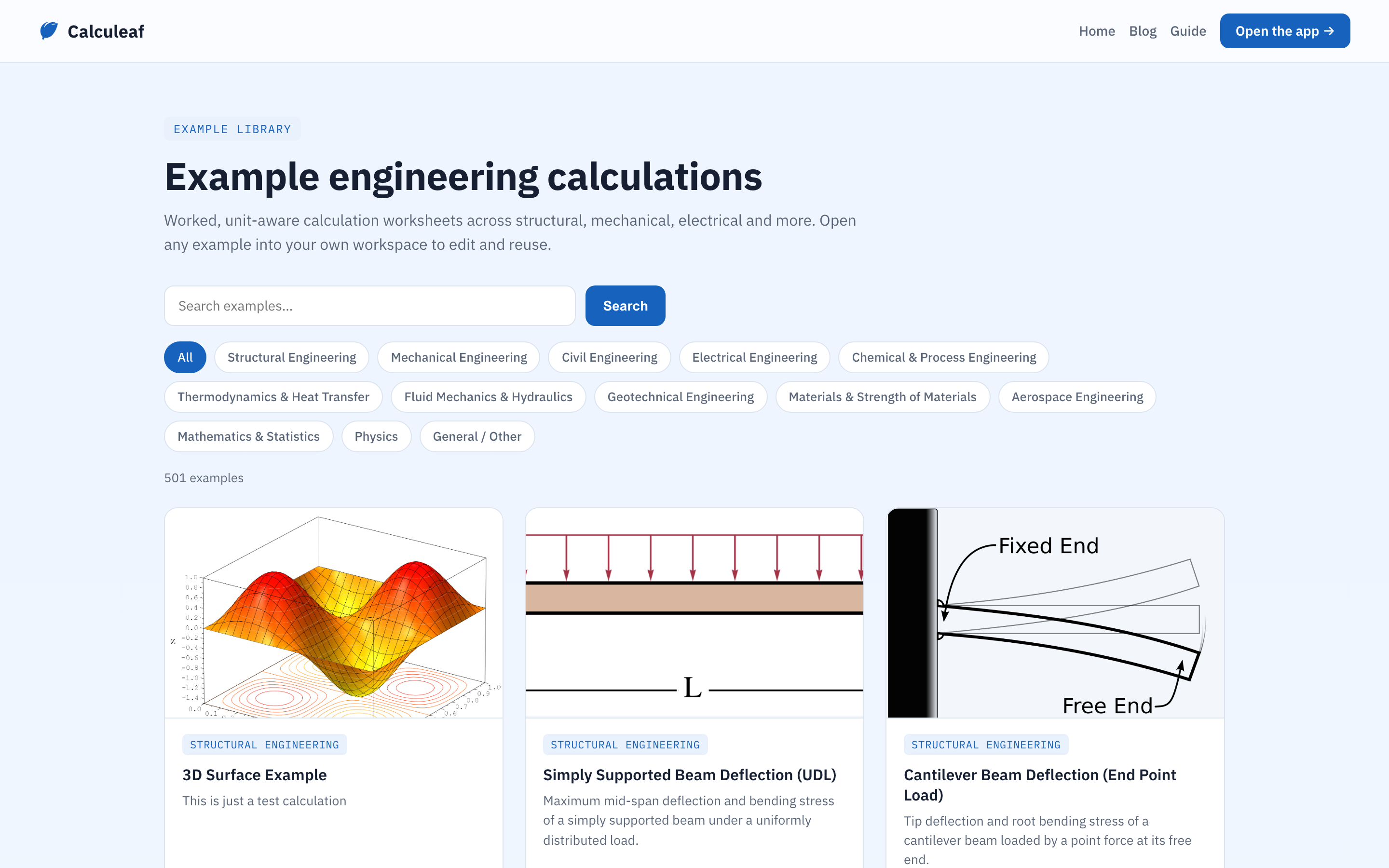
Find an example
- Go to Example calculations. There is also an Examples button on the Home tab.
- Search for a title, or filter by category: structural, mechanical, electrical, and so on.
- Click a card to open the calculation and read it.
What you are looking at is a read-only page at a /calc/… address.
You can scroll it, follow the working, and send the link to someone. You can't
change it.
Take a copy
Click Edit this worksheet on the example. Calculeaf copies all the regions into a new worksheet that belongs to you. The original is left alone. If you are not signed in, the copy goes into your guest session in this browser.
Now change something. Try these:
- Edit one of the input values near the top and watch everything below it update.
- Switch the unit system on the Home tab to see the same answers in different units.
- Add a text region at the top with your project name in it.
- Use Save As to keep a second version alongside the first.
That is the end of Getting Started. You can now write a calculation, read someone else's, and find your way around the screen.
Next, The Workspace covers the ribbon and sidebars properly. Math goes deeper into units, conversions, and the things you can type. Plots and tables is for when you want a chart.