Teams and review
A team lets a colleague check your sheet inside Calculeaf. Teammates can open each other's worksheets read-only. One person is named as reviewer on a given sheet. The sheet itself carries the state of that review.
You must be signed in. The Team tab in the left sidebar is where you create the team, invite people, and filter the sheets you are reviewing.
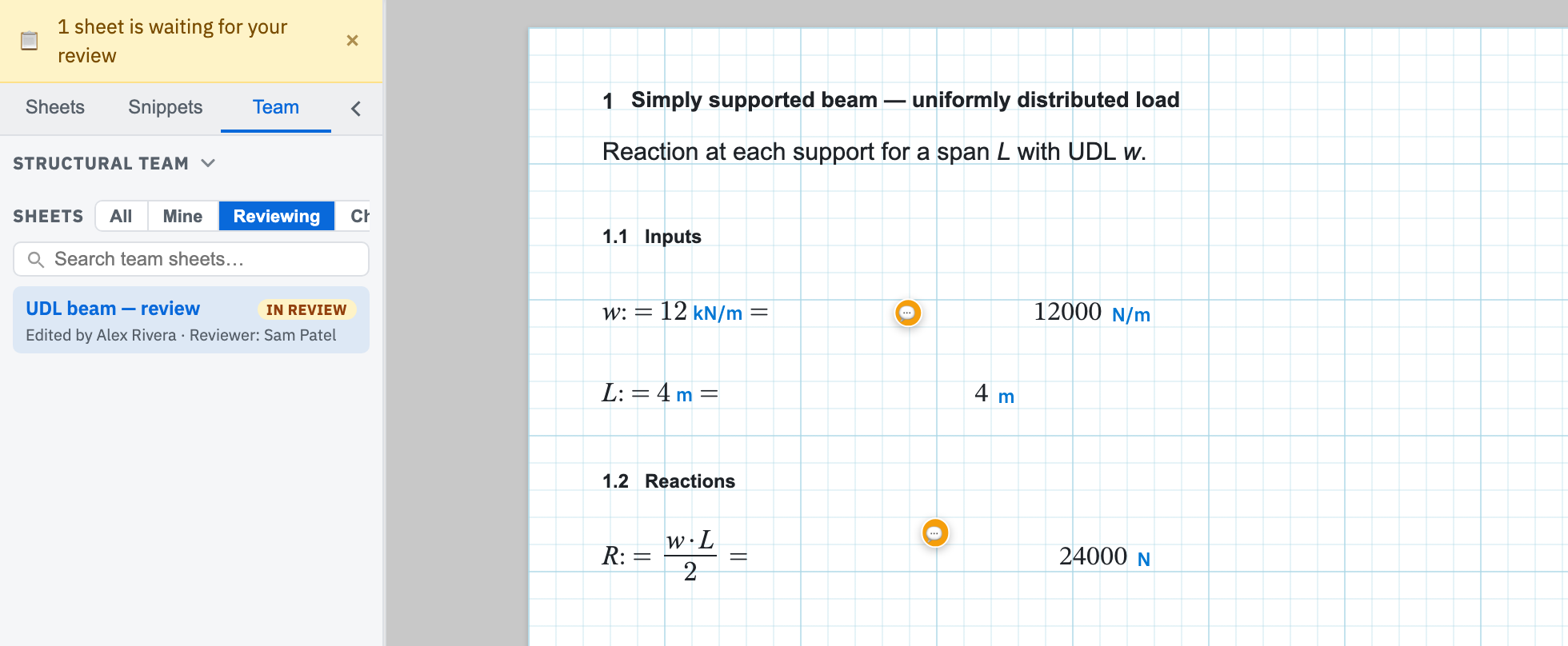
The loop a sheet goes round
- The author opens the Review ribbon tab and assigns a teammate. The sheet moves to In review.
- The reviewer reads it and drops comment pins on anything that needs an answer.
- The reviewer chooses Approve, or Rq. Changes to send the sheet back.
- The author edits and chooses Resubmit, which returns the sheet to In review for the next round.
The pages
- Creating a team — how do colleagues get in, and what can they see once they are there?
- Review workflow — what state is this sheet in, and who is allowed to move it on?
- Comments — how do I point at the number I am querying instead of describing it?