Edit a worksheet
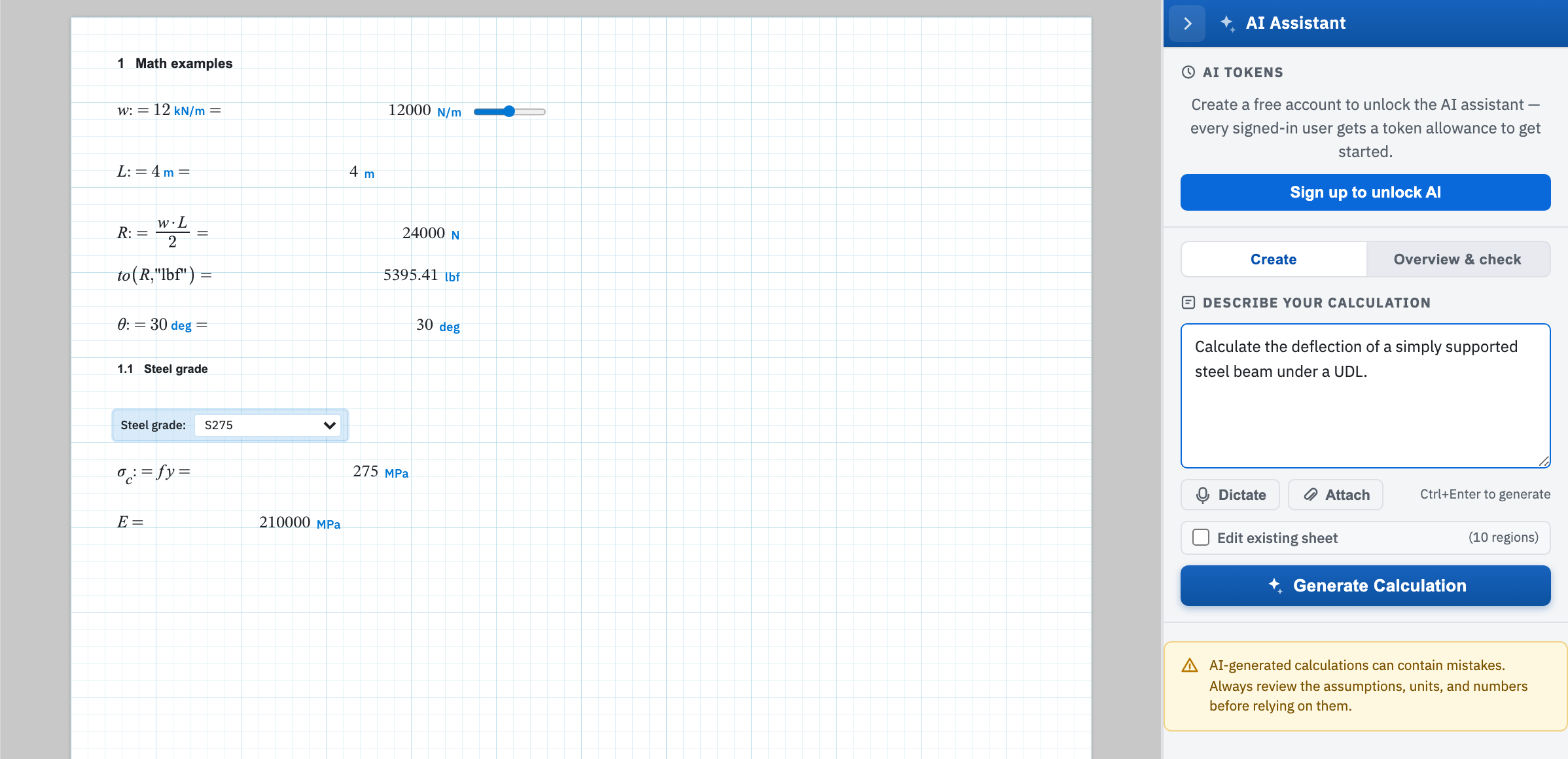
Tick Edit existing sheet on the Create tab when you want the assistant to change the worksheet in front of you, rather than add a new draft beside it. Use it for a change you can describe in a sentence but would rather not retype by hand.
The hint beside the tick box counts the body regions the assistant will be shown. On a blank page it reads (sheet is empty) and the box is disabled. With the box ticked, Generate Calculation becomes Apply Edit. That is the quickest way to confirm the mode.
What happens to the regions already there
| Edit existing sheet | Effect on the current page |
|---|---|
| Off | New regions are added to the page and nothing already on it is altered or removed — see Create a worksheet. |
| On | Regions are rewritten in place, inserted next to related content, or deleted outright. |
The difference matters because edit mode can delete. It returns a list of operations rather than a new sheet. A delete removes that region. Ask it to strip out a load case and it will do exactly that.
Make a change
- Open the sheet you want to change, then open the panel from the star tab on the right edge.
- On Create, tick Edit existing sheet.
- Describe only the change — add a plot of R versus L, or convert answers to USCS and add a summary table.
- Choose Apply Edit.
The assistant is asked to touch as few regions as it can. Change L from 5 m to 6 m should produce one update and let the engine recompute everything downstream. The sheet re-evaluates itself once the operations are applied. The status line gives the tally: Applied 1 update, 2 inserts — sheet re-evaluated without errors, or the problems it hit.
Walk the page afterwards regardless. An inserted region takes its place in the evaluation order and can shadow a name defined below it. For sign-off by a person, use teams and review.