Context menu
Right-click a region. The menu is for that block, or for the whole selection when several are selected. Right-clicking a region that was not selected selects it first.
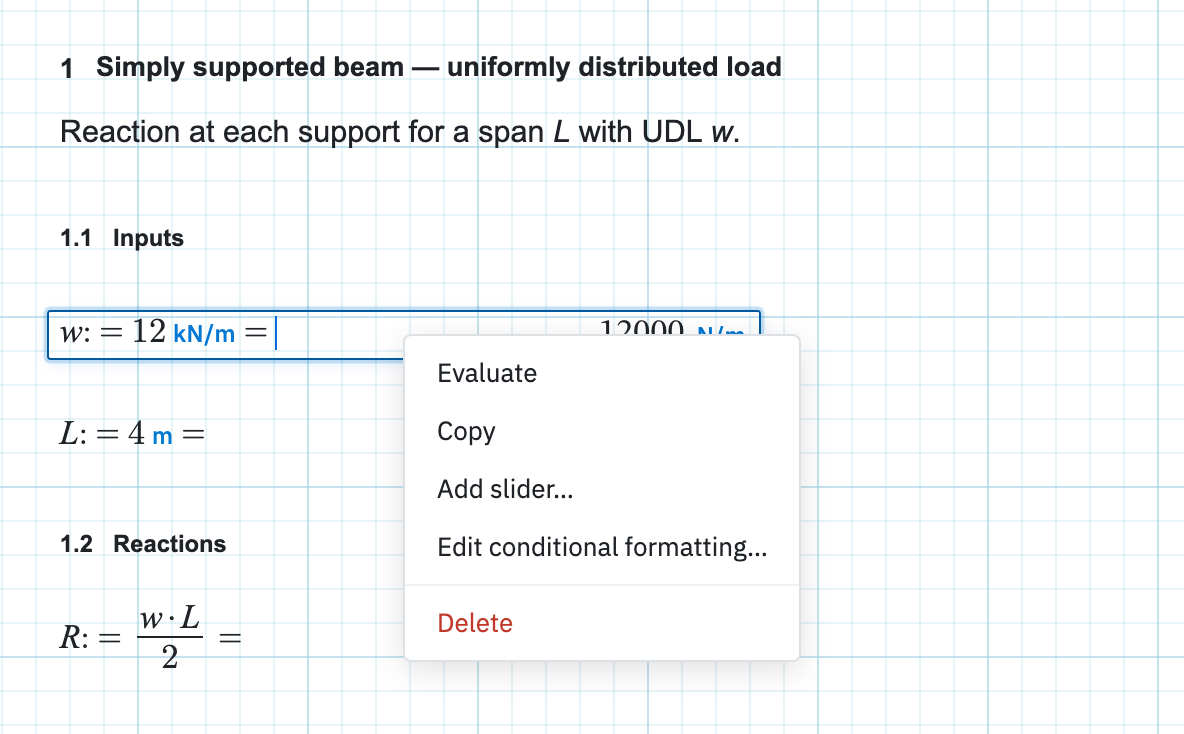
On any region
Evaluate recomputes this region. Copy does the same job as Home → Copy. Delete at the foot of the menu removes the selection.
On a math region
| Item | When it appears |
|---|---|
| Show Explicit, Hide Explicit | On a formula that uses other worksheet variables. Inserts a read-only copy of the right-hand side with each name replaced by its current value and unit — c := a/b = 1 becomes c := a/b = 2mm/2mm = 1. Values update when the sheet re-evaluates. |
| Convert to input box, Convert to math | On a simple name := number assignment (optional unit). Select several and convert them together — the input fields then align. See Input boxes. When the sheet is not format-locked, click the unit (or the faint “unit” placeholder) to change or add one — the number is left as typed. |
| Add slider…, Edit slider…, Remove slider | On an assignment that uses :=. Set min, max, and step; Remove slider shows once one is attached. |
| Edit conditional formatting… | Always on math. Colour the answer from rules, then Enable or Disable conditional formatting from the same menu. |
| Reset units | When you have pinned a display unit on the result chip. With several regions selected the label carries the count. |
| Copy variable address | Signed in, on a saved assignment. Paste it into the Inventor add-in or the HTTP API to read or set that value. |
| Export matrix to CSV… | When the answer is a matrix. |
On other types
- A list offers Edit list and variables… when it is the only region selected.
- A summary table or section table offers Export to Excel…
- A plot offers Remove all pins, once you have dropped value pins on the chart.
On a multi-selection
Align left, Align center, and
Align right line the boxes up. With two or more input
boxes selected, Align input lines up the inner white
fields by changing the space after := and after the unit; the
outer frames stay put. Convert to input box on a
multi-selection of numeric assignments converts them all and then aligns
those fields. Resize all to
shortest and Resize all to longest set every region
to one width, and both labels quote the pixel width you are about to get.
On empty paper
The canvas has a menu of its own: Insert Math Region, Insert Text Region, Insert Plot Region, Insert Line (main sheet only), Insert List, Insert Parametric Table, Insert Summary Table, Insert Diagram, Insert 2D Frame, Insert 3D Frame, and Import Picture…, each placed where you clicked. Remove space pulls everything at or below that point up until the gap closes.
Next in the outline is Math — assignments, units, conversion, sliders, and lists.