Sections
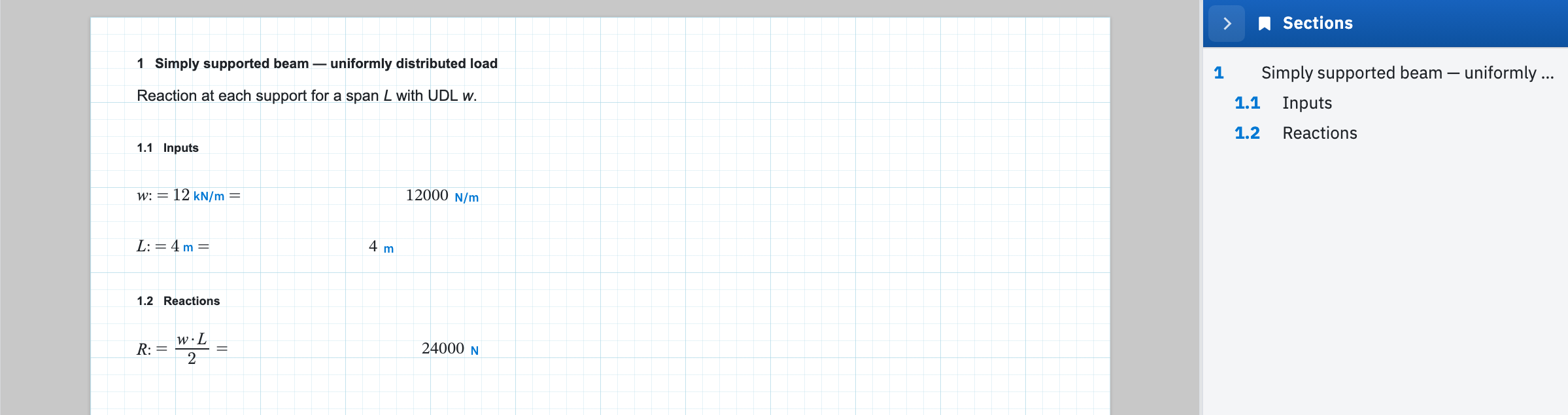
Mark a heading as a section when you want a document with an outline. Select the text region, then on the Text tab choose Section. A number badge appears in front of the heading, and the button stays pressed for as long as the region is a section.
Mark a header
- Apply a heading style if you want the look as well. Heading 1, 2 or 3 from Styles.
- Keep the text region selected. With nothing selected the button is disabled, and the status bar tells you to select a text region first.
- On the Text tab, choose Section.
- Set Level to 1, 2 or 3, which controls sub-numbering. A Level 2 header under section 1 numbers as 1.1. A Level 3 under it as 1.1.1. The control stays disabled until the region is a section.
- Leave Number blank. It shows the placeholder auto, for automatic numbering. Or type a value to override it. Later automatic numbers continue from your override.
Choose Section again to unmark. The wording stays exactly as it was. The number and the bookmark are what disappear. Select several text regions and the button works on the lot, using the level in the dropdown. The Number override applies only when a single region is selected.
What a section feeds
- The Sections sidebar, where clicking an entry scrolls the canvas to that header.
- Calc numbering:
[2.3]is the third calculation under the nearest section above it. - The section table, a clickable contents list that survives into the exported PDF.
- The PDF outline, because a marked header is exported with real heading semantics at its level.