Paper themes
Open the Document tab and pick a Page theme. The page colour, the grid colour, and the ink used for text and units all change together.
The choice is stored on the worksheet, so a shared copy keeps the theme you chose.
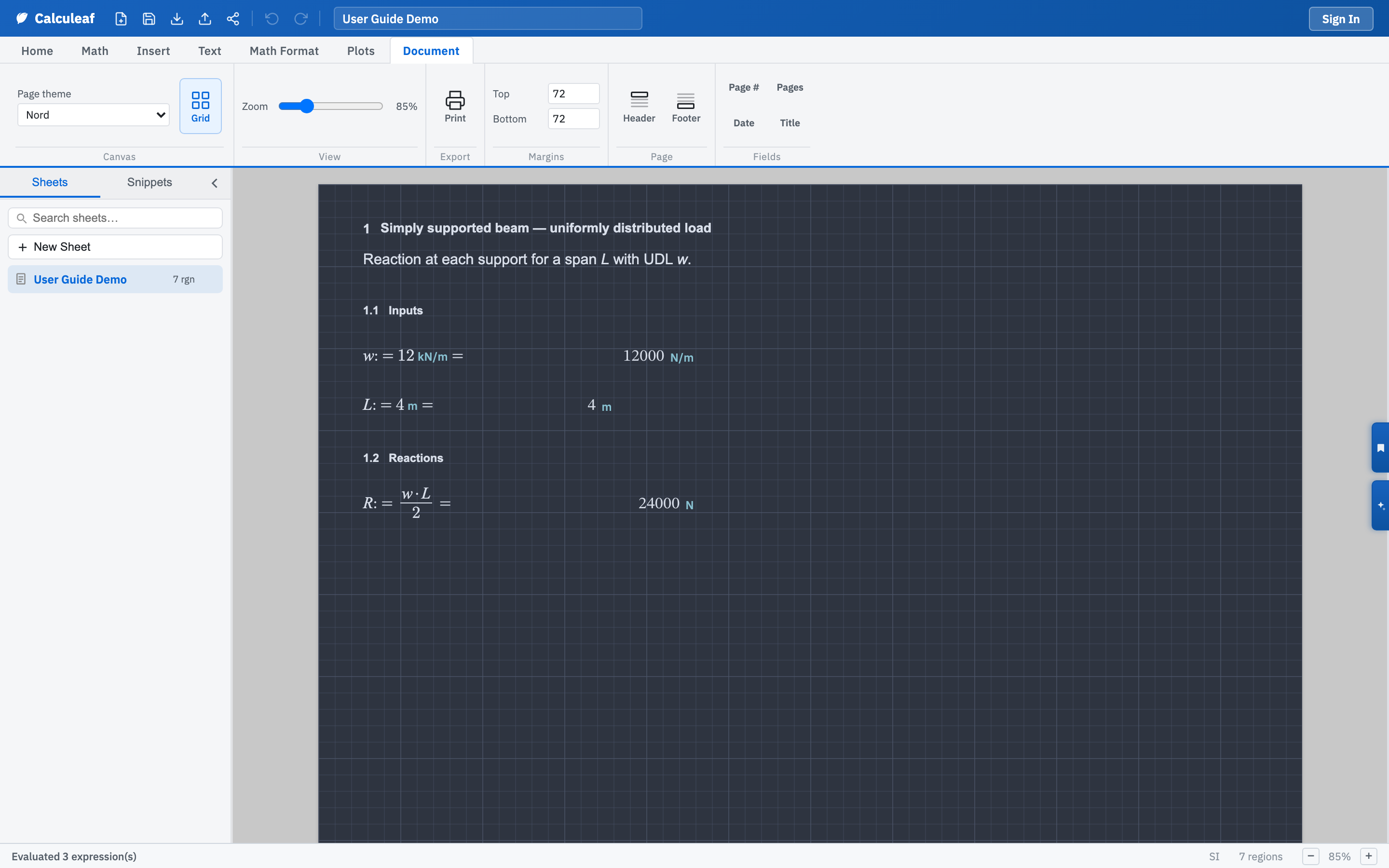
Change the theme
- Open the Document tab.
- In the Canvas group, open Page theme.
- Pick a theme. The page redraws immediately, so you can try two or three before settling.
The themes
Three themes keep the squared-paper look. Blue grid is the default, the engineering pad used throughout Getting Started, with Green grid and Quadrille (ivory) alongside it. The remaining twenty follow common editor palettes.
- Dark: Dracula, Monokai, One Dark, Nord, Solarized Dark, Gruvbox Dark, Tokyo Night, GitHub Dark, Night Owl, Cobalt2, Material Palenight, Ayu Mirage, Synthwave '84, Zenburn.
- Light: Solarized Light, GitHub Light, One Light, Ayu Light, Xcode Light, Tomorrow.
A dark theme inverts the page and the grid together. It changes nothing about the arithmetic. The same expression evaluates to the same answer on any paper. Pick one you can read for a long session, then check it before you issue anything: print and PDF follow the current theme, grid included if Grid is on.
To make a theme stick across a project, set it once and save the worksheet as a template. Grid and zoom live in the same part of the Document tab as the other canvas controls.