Control flow
Two helpers let a single region make a decision or iterate. if
chooses between two expressions. while repeats one until a
condition stops holding. They also stand in for the user-defined functions
Calculeaf does not have. There is no name(...) := syntax, so a
short piece of procedural logic has to live inside one expression. Both are on
the ribbon under Functions ▾ → More and Operators ▾ →
Compare, or you can type them.
if
if(condition, then, else) evaluates only the branch it selects.
The branch you skip can contain a division by zero or a unit mismatch and the
region still returns cleanly.
sigma := 250 MPa
fy := 355 MPa
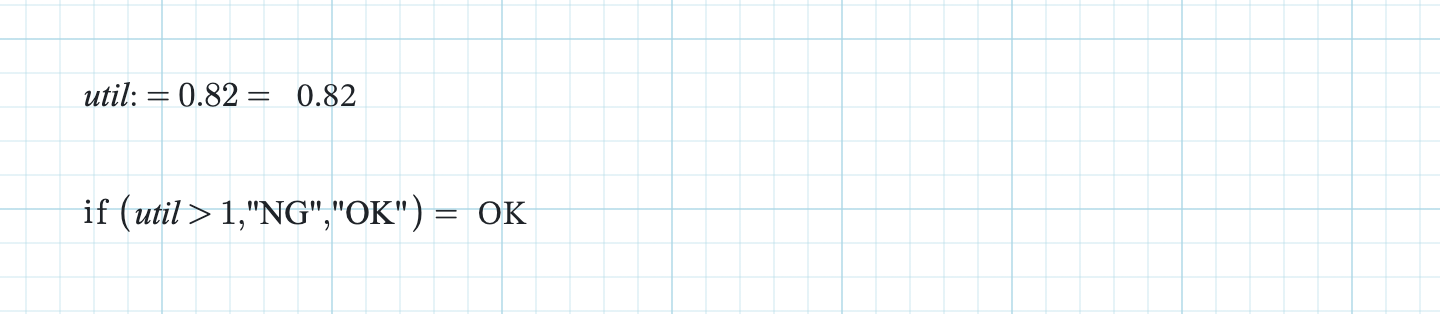
util := sigma / fy =
if(util > 1, "NG", "OK") =
Here the utilisation is 0.70 and the region reads OK. The answer of an
if can be a plain number, a quantity with units, or a short string
like this one. It works equally well for a pass/fail label and for picking
whichever of two capacities governs.
Build conditions from the Compare group on the Math tab: =, ≠, <, >, ≤, ≥, ∧ (and) and ∨ (or). Comparisons are unit-aware, and both sides need compatible dimensions. Testing a length against a bare number reports Cannot compare a quantity with units to a bare number rather than silently comparing magnitudes. When the answer is numeric, conditional formatting can colour it by threshold instead, which often reads better than a text label.
while
The signature looks like this:
while(name, initial, condition, update)
while(name, initial, condition, update, max_iter)
The first argument is a bare name for the loop variable, not a value. The second is what that name starts at. The third is tested before each pass. While it stays true, the fourth expression is evaluated and its answer becomes the new value of the name. When the condition finally fails, the current value is what the region returns. So the loop variable appears three times: once as the name, then inside both the condition and the update.
Sizing a plate up in 1 mm steps until the stress drops to the allowable:
while(tp, 6 mm, 250 MPa * 6 mm / tp > 200 MPa, tp + 1 mm) =That returns 8 mm. At 6 mm the stress is 250 MPa and at 7 mm it is 214 MPa, both over the 200 MPa limit. At 8 mm it is 188 MPa, the condition fails, and 8 mm is the answer. Three passes. It converges because the update moves the value in the direction that will eventually falsify the condition. Check that before you evaluate.
max_iter defaults to 1000. Exceed it and the region reports
while: exceeded max_iter (1000) rather than hanging the
worksheet. That is what you will see if the update never satisfies the
condition. The loop variable is local to the call. Whatever tp
meant before the region, it means again afterwards, and a later :=
on the same name overwrites worksheet scope as normal.