Comments
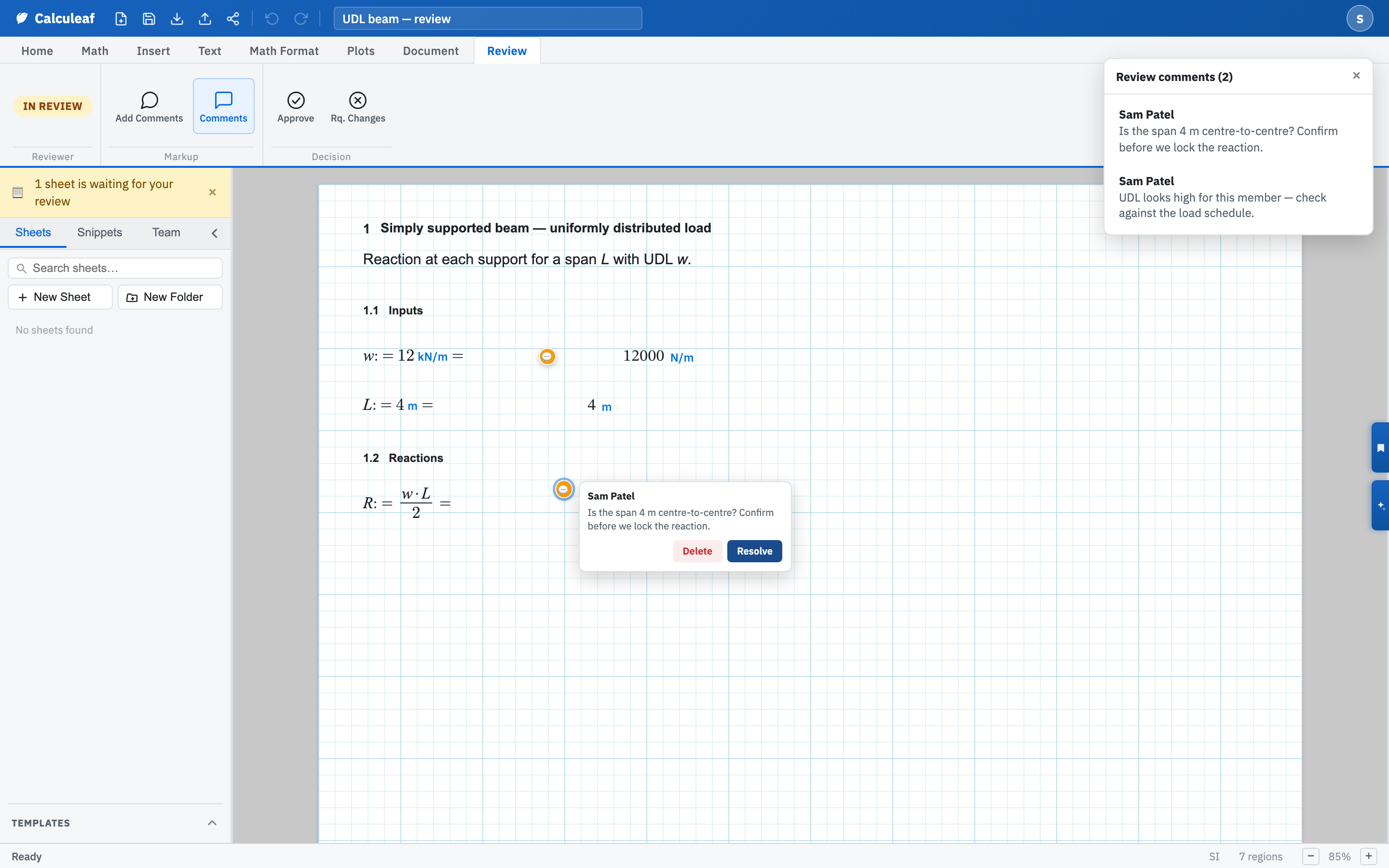
Drop a pin on the number you are querying, then write the question there. On the Review tab, Add Comments arms the pointer so a click anywhere on the sheet drops a comment. Comments shows the pins together with the review comments bar on the right.
Drop a pin
- Open the Review tab on a sheet you are reviewing.
- Choose Add Comments. The pointer becomes a crosshair and the status line confirms that a click will drop a comment.
- Click the page on or beside the region you mean.
- Type the note in the box that opens and choose Comment, or Cancel to drop nothing.
Read and clear existing notes
Click a pin to open the note, or work down the comments bar. The bar's title counts the notes on the sheet. Clicking a row scrolls its pin into view. The note's author or the sheet owner can mark it Resolve, which leaves the pin in place but greys it out. Reopen puts it back. Only the author can Delete a note outright. Pins survive Resubmit, so the author clears them one at a time as each is addressed rather than losing the thread between rounds. Comments hides and shows pins and bar together, and deletes nothing.
Pins and regions
A pin records a point in the same coordinate space the canvas uses for regions, but it is not bound to a region. Move the region afterwards and the pin stays where it was dropped. Drag the pin if you want it to follow.
Pins are part of the review workflow, so they appear once a sheet has a reviewer, and you must be on a team before the Review tab exists at all. A public share link shows the worksheet without any of this markup.